Easily add categories and vendors so they appear in dropdowns when recording expenses
Login to your Markate Account
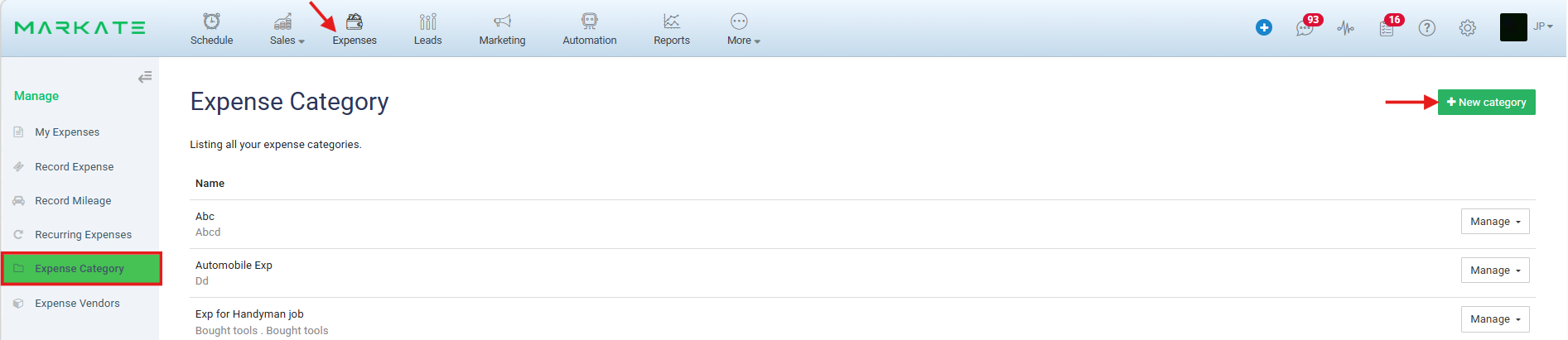
Click Expenses on the top.
Create Expense Category list:
1. Go to Expense Category from left panel.
2. Click +New Category
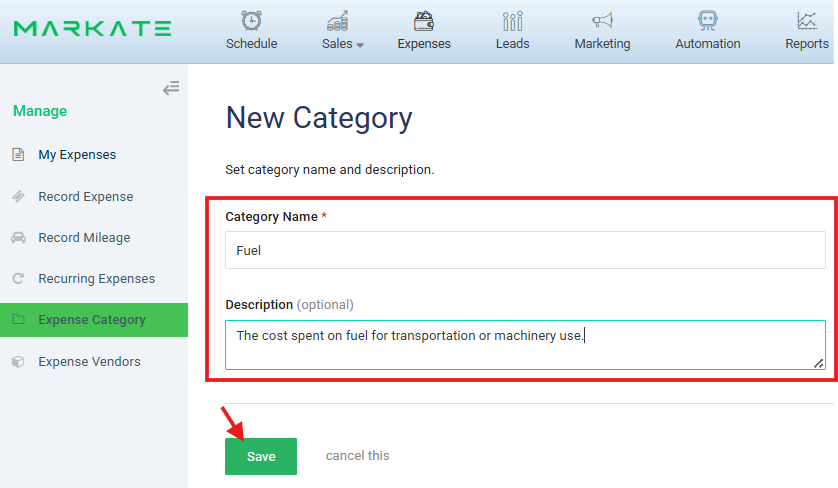
3. Enter Expense Category Name Eg: Fuel. You can also enter the description which is optional.
4. Click Save.
This will be added to the Expense Category list.
Create Expense Vendor list:
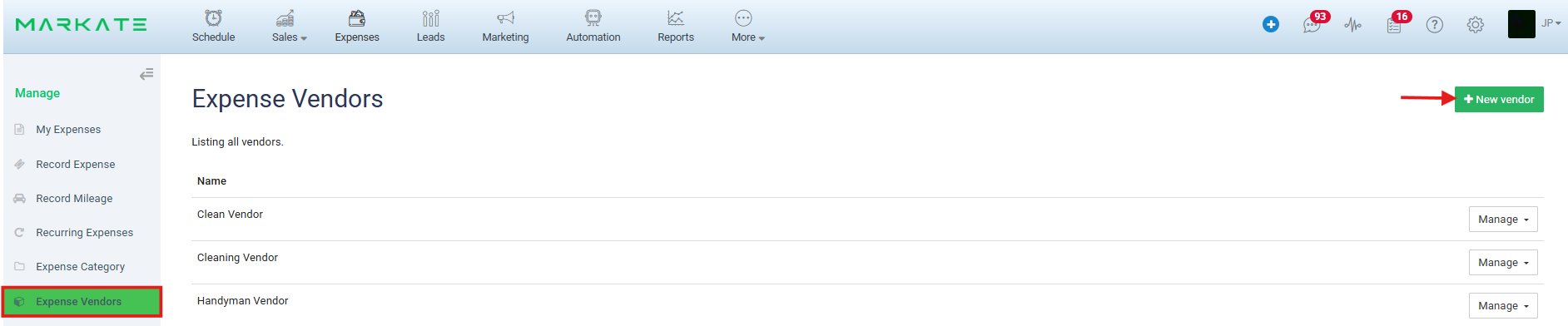
1. Click Expense Vendors from left panel.
2. Click +New Vendor.
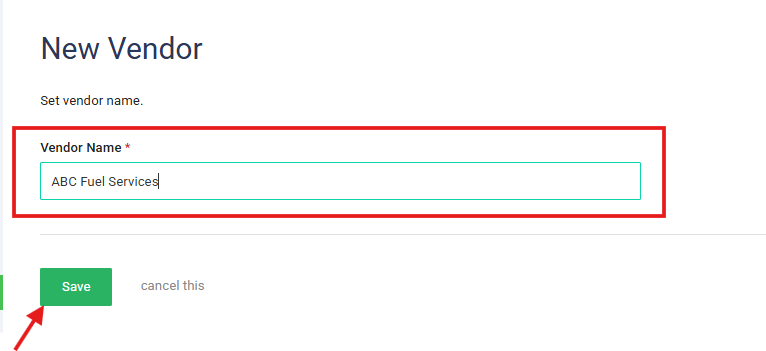
3. Enter Vendor Name
4. Click Save.
This will be added to the Expense Vendor list.
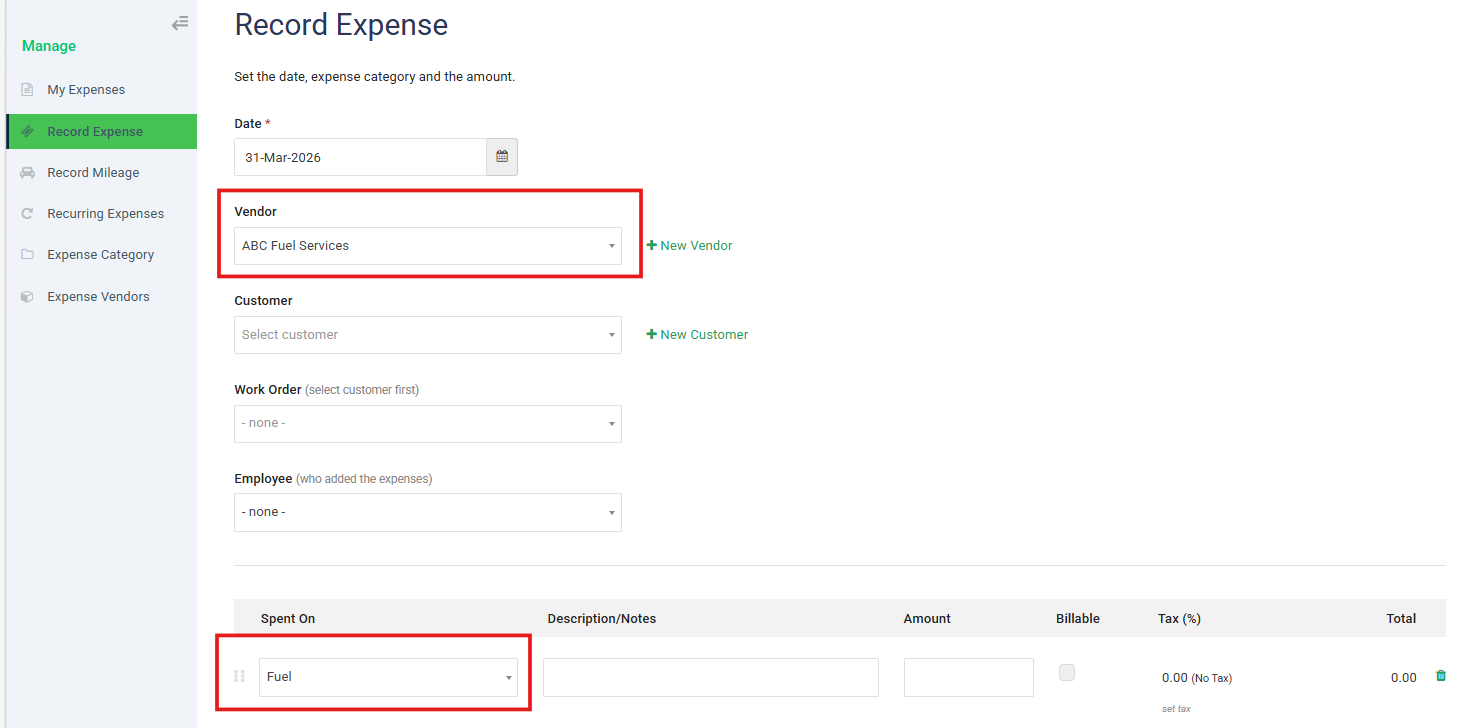
When recording an Expense, the Vendor and Category will be reflected and can be directly added from the dropdown.
Was this article helpful?
That’s Great!
Thank you for your feedback
Sorry! We couldn't be helpful
Thank you for your feedback
Feedback sent
We appreciate your effort and will try to fix the article