Record and manage expenses easily in Markate by entering details, categorizing costs, and saving them for tracking or billing. You can also log mileage (by distance or odometer) and convert billable expenses into invoices in just a few steps.
Login to your Markate account.
Go to the top menu and click 'Expenses'

Let's learn how to Record a regular expense:
Step 1: Click 'Record Expense'
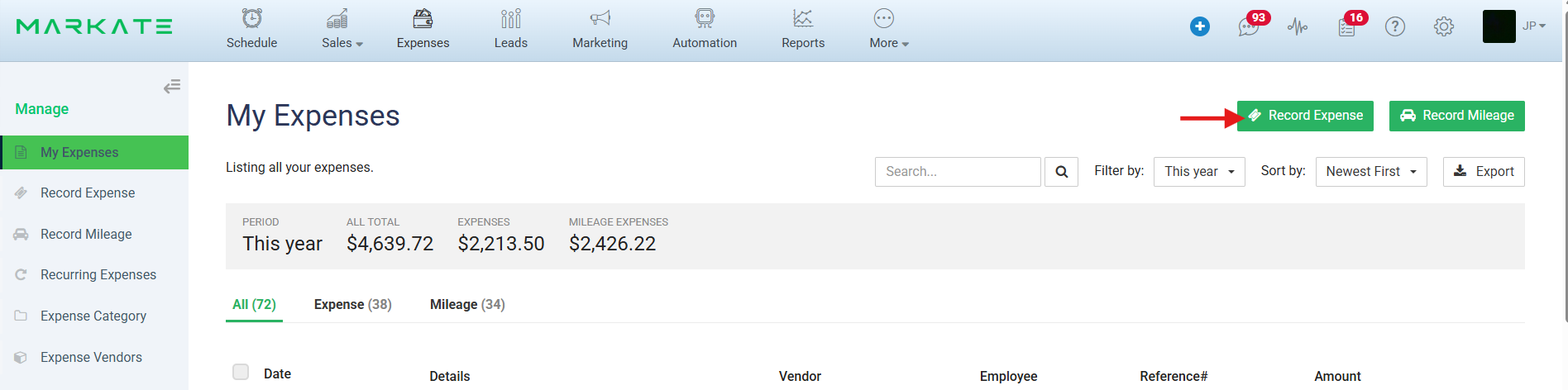
Step 2: You will be directed to the 'Record Expense' page. On this form, enter all necessary details.
Note: If you select a Customer and the respective Work Order, the Expense will be reflected on the Work Order.
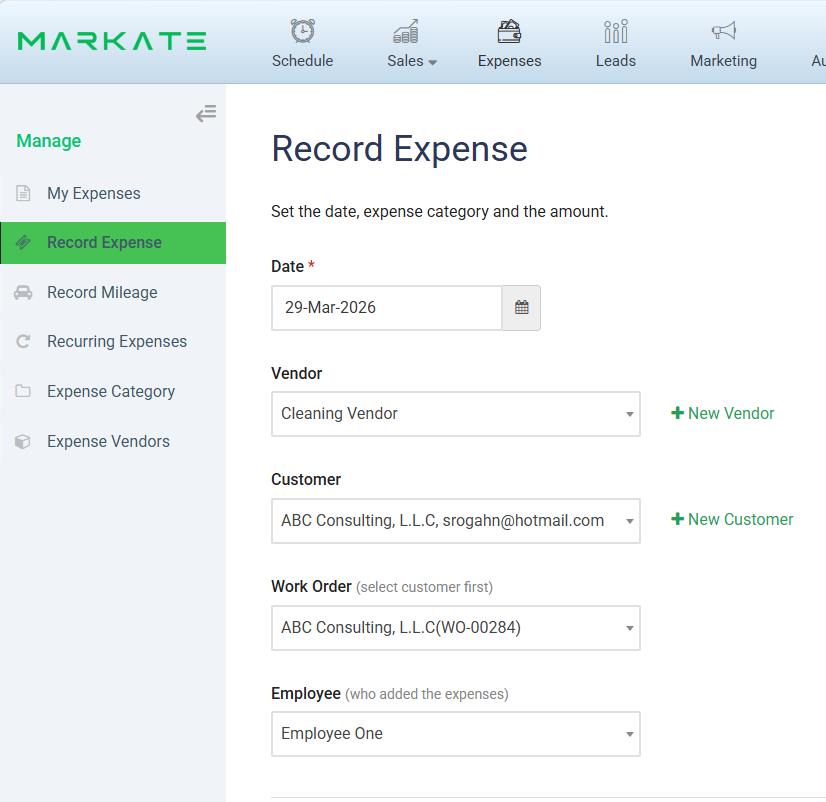
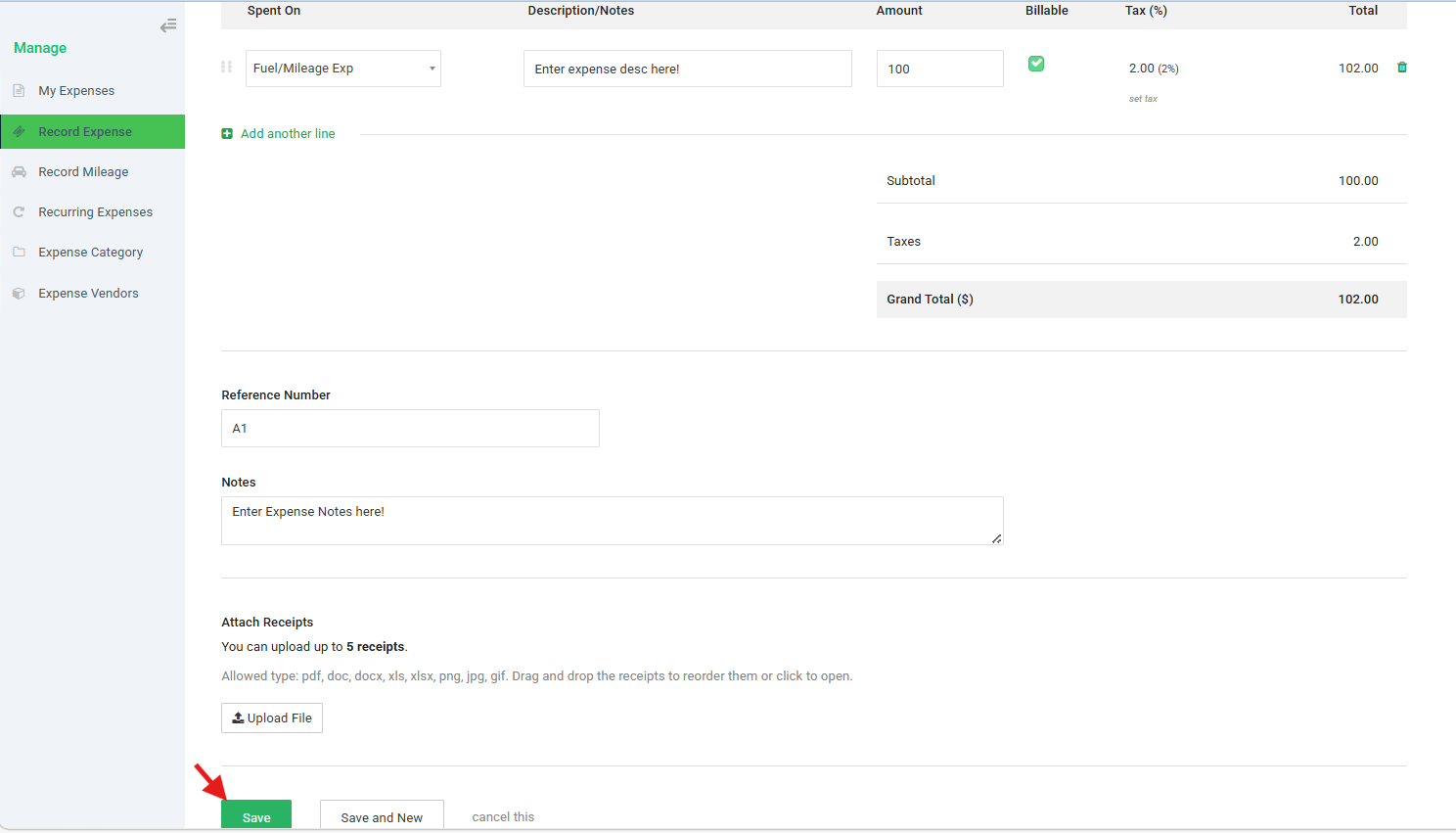
Step 3: Enter the Expense category with description and amount. Enter other necessary information.
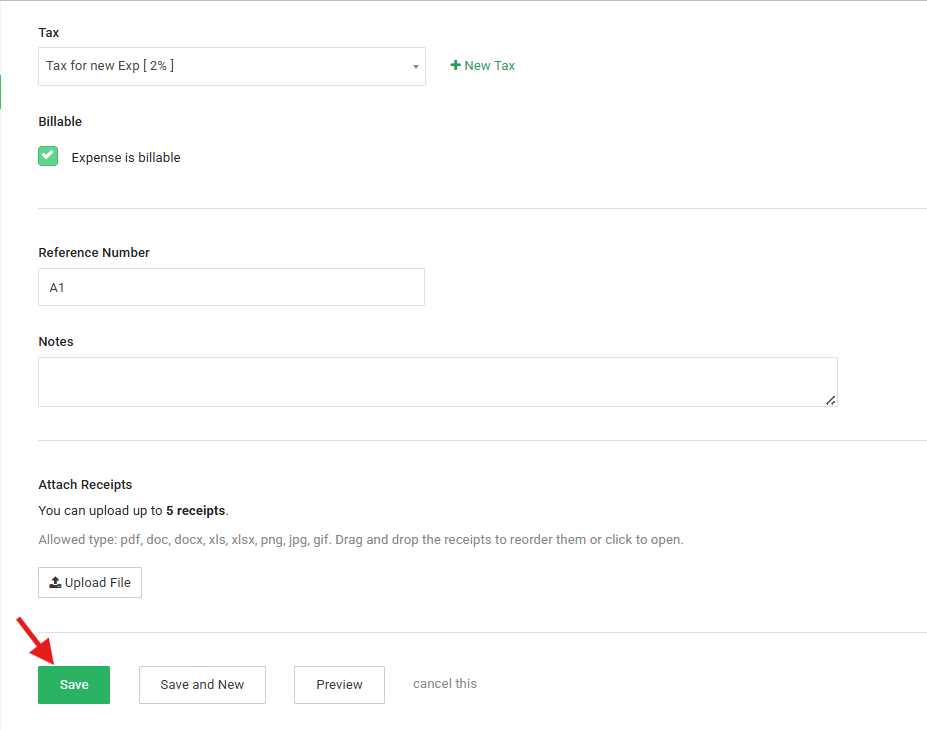
Step 4: Click 'Save' to record the expense.
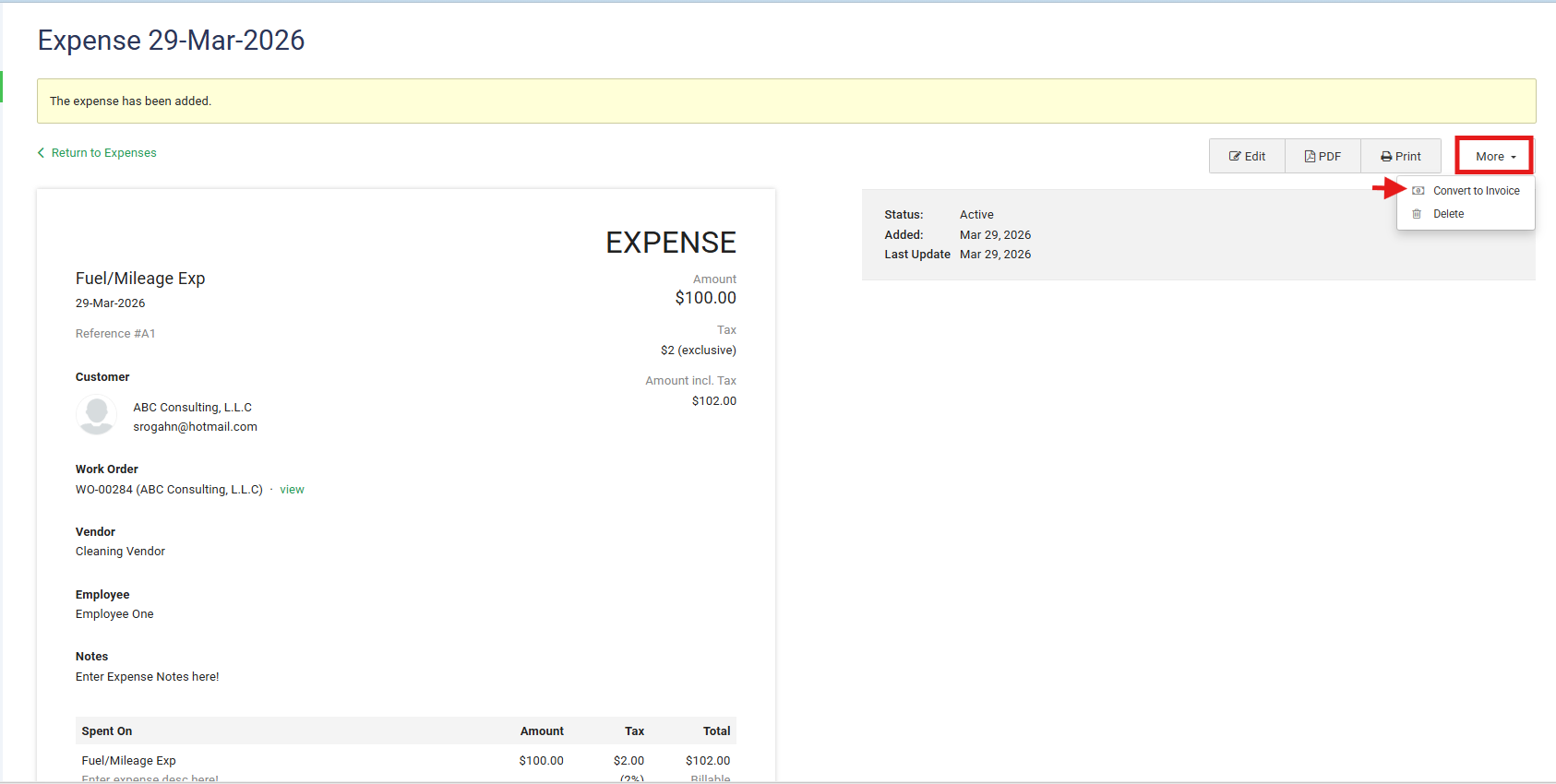
Step 5: On the Preview Expense screen, click 'More' > click 'Convert to Invoice' to convert the expense into an Invoice.
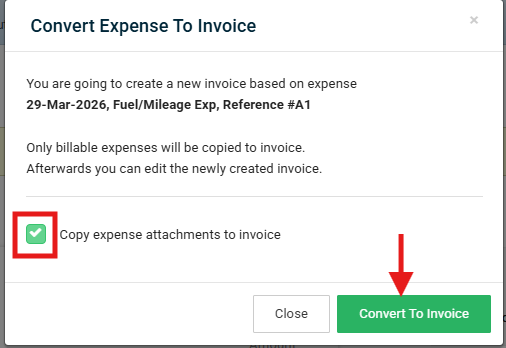
Step 6: Next, on the pop up 'Convert Expense to Invoice' Mark the checkbox if you want to copy expense attachments to invoice else uncheck it. Then, click 'Convert to Inovice'. It will navigate to the Respective created Invoice.
Let's learn how to Record a Mileage expense: by Distance.
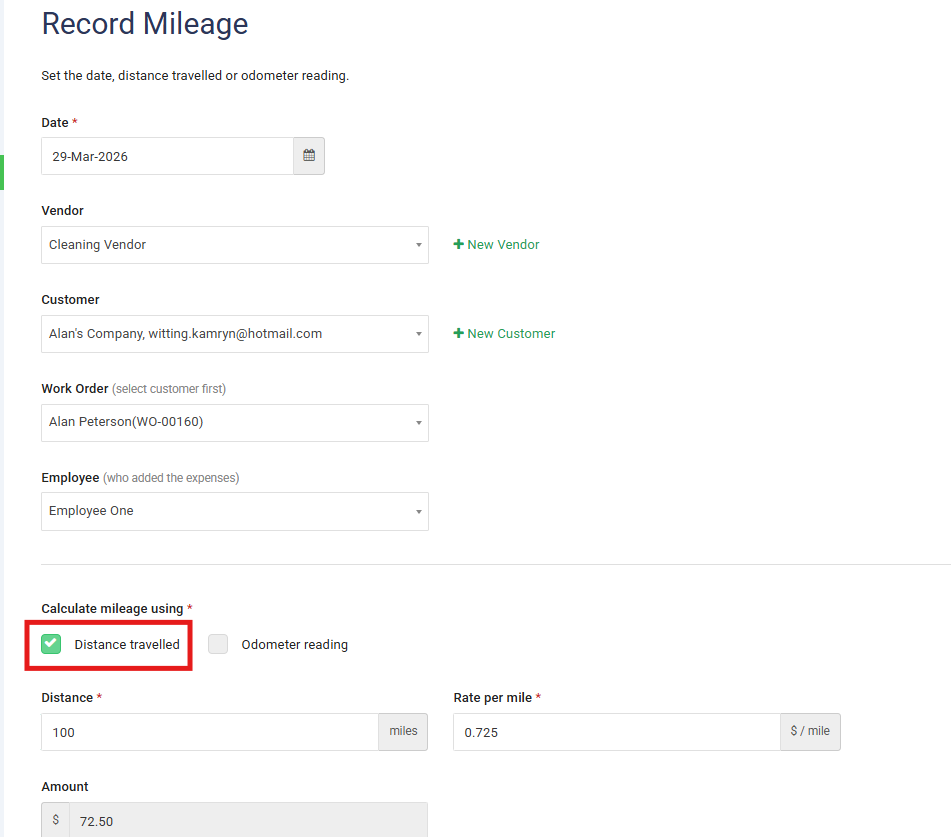
Step 1: On 'My Expenses' screen, click 'Record Mileage'

Step 2: Check 'Distance Travelled' to record Mileage Expense by Distance.
Enter other necessary details on the form like Distance, Rate per mile (you can change it).
Amount will be calculated automatically. [Amount = Distance * Rate per mile].
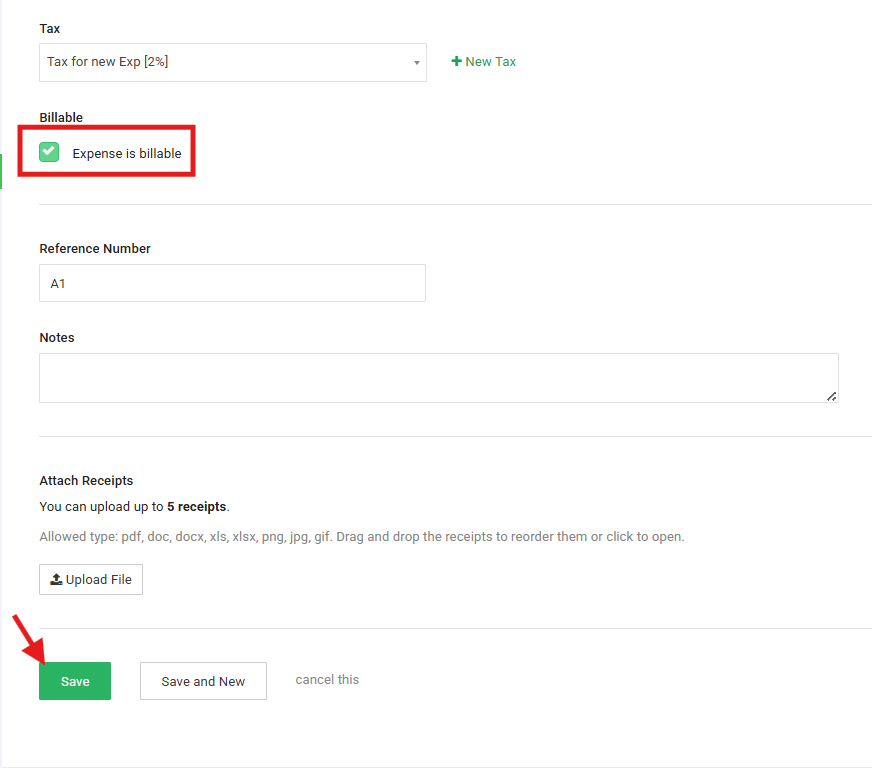
Step 3: Mark 'Expense is billable' so that it can be converted to Invoice.
Click 'Save' to record the Milage Expense.
Let's learn how to Record a Mileage expense by Odometer:
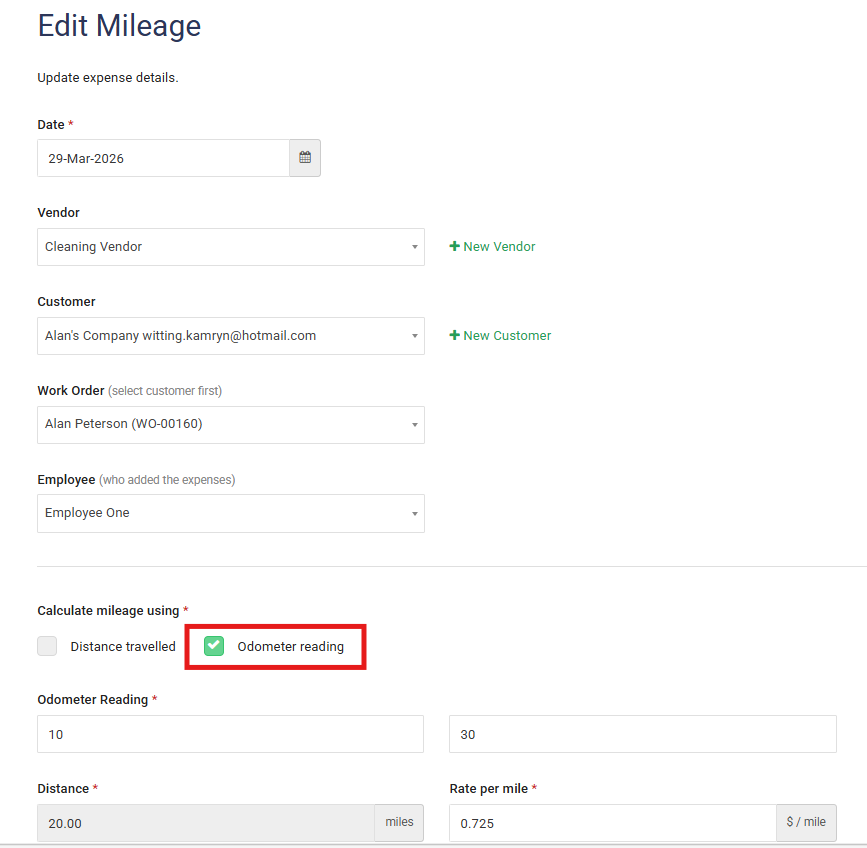
Step 1: On 'My Expenses Mileage form', Check 'Odometer Reading' to record Mileage Expense by Odometer.
Enter other necessary details on the form like Odometer Reading values, Rate per mile (you can change it).
Distance and Amount will be calculated automatically.
[Distance = End Reading - Start Reading AND Amount = Distance * Rate per Mile].
Step 2: Mark 'Expense is billable' so that it can be converted to Invoice.
Click 'Save' to record the Milage Expense.
Here is a video showing how to do this
Was this article helpful?
That’s Great!
Thank you for your feedback
Sorry! We couldn't be helpful
Thank you for your feedback
Feedback sent
We appreciate your effort and will try to fix the article