** Refer Kate AI Estimator Addon here: Helpdesk : Markate **
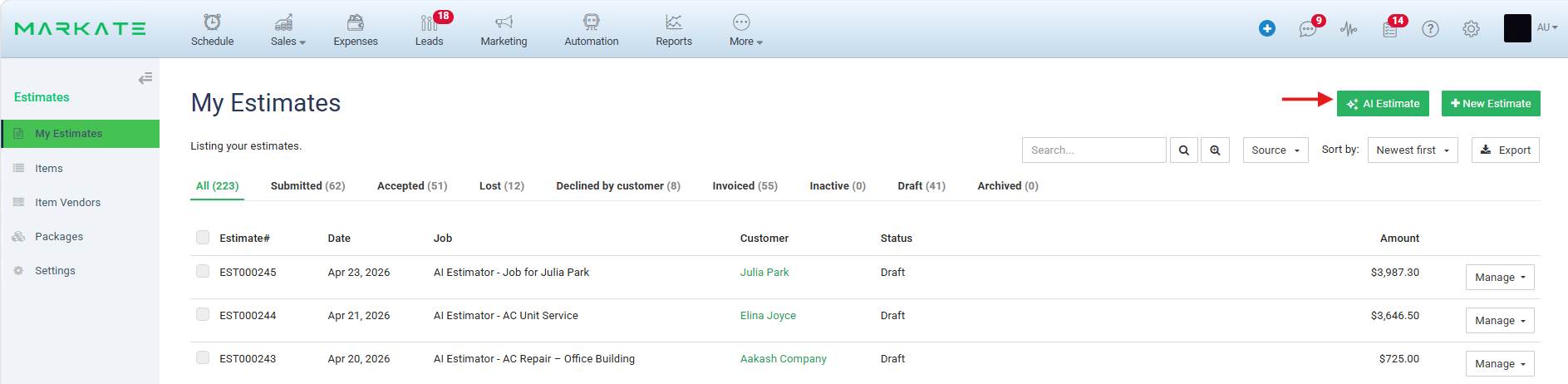
Create AI Estimate from Estimates:
1. Go to Estimates > Click AI Estimates
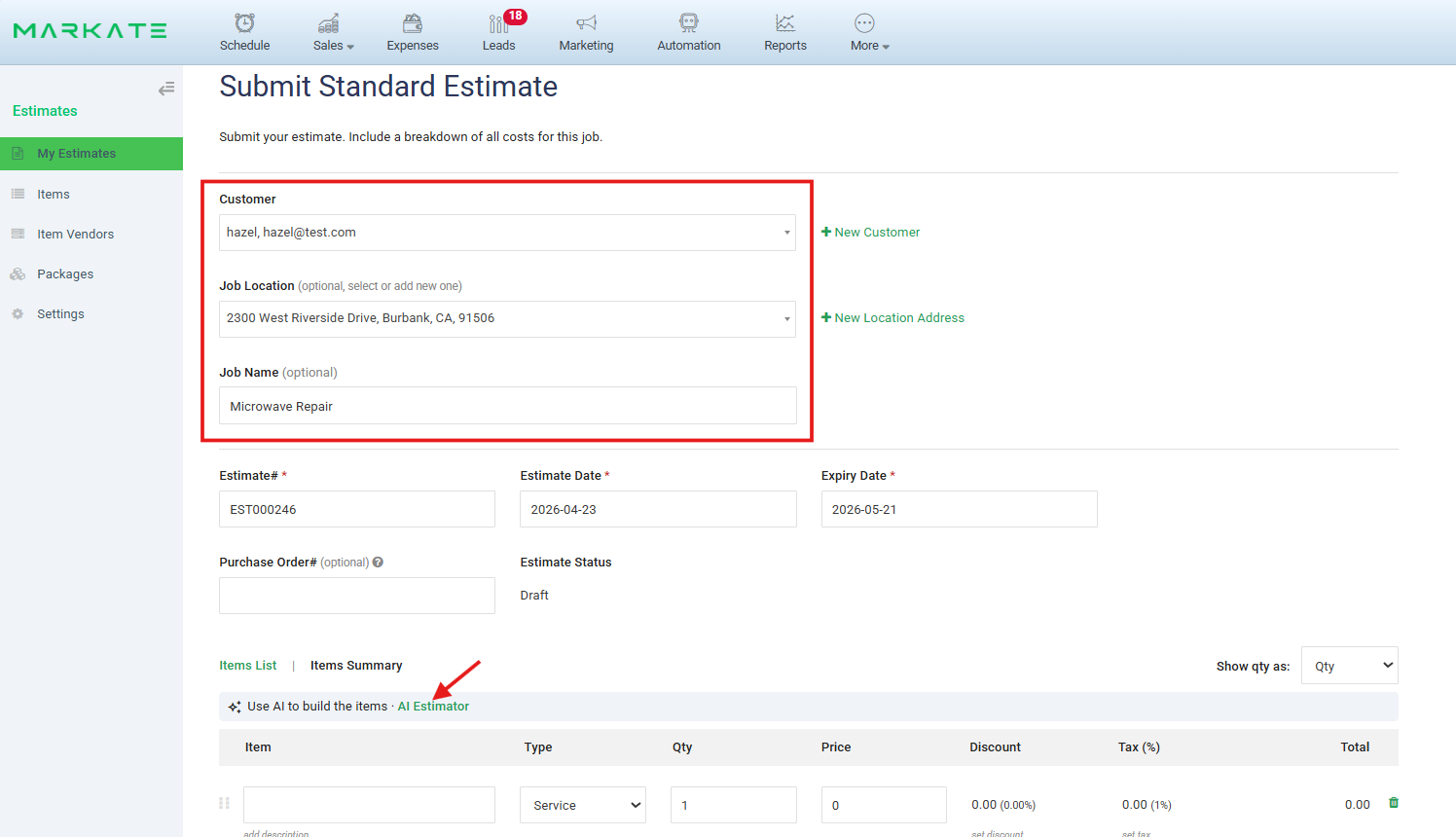
2. On the Estimate form, select a Customer for whom AI Estimate to be created.
3. Click AI Estimator below.
4. Start building the items with AI Estimator.
Create AI Estimate from Customer profile:
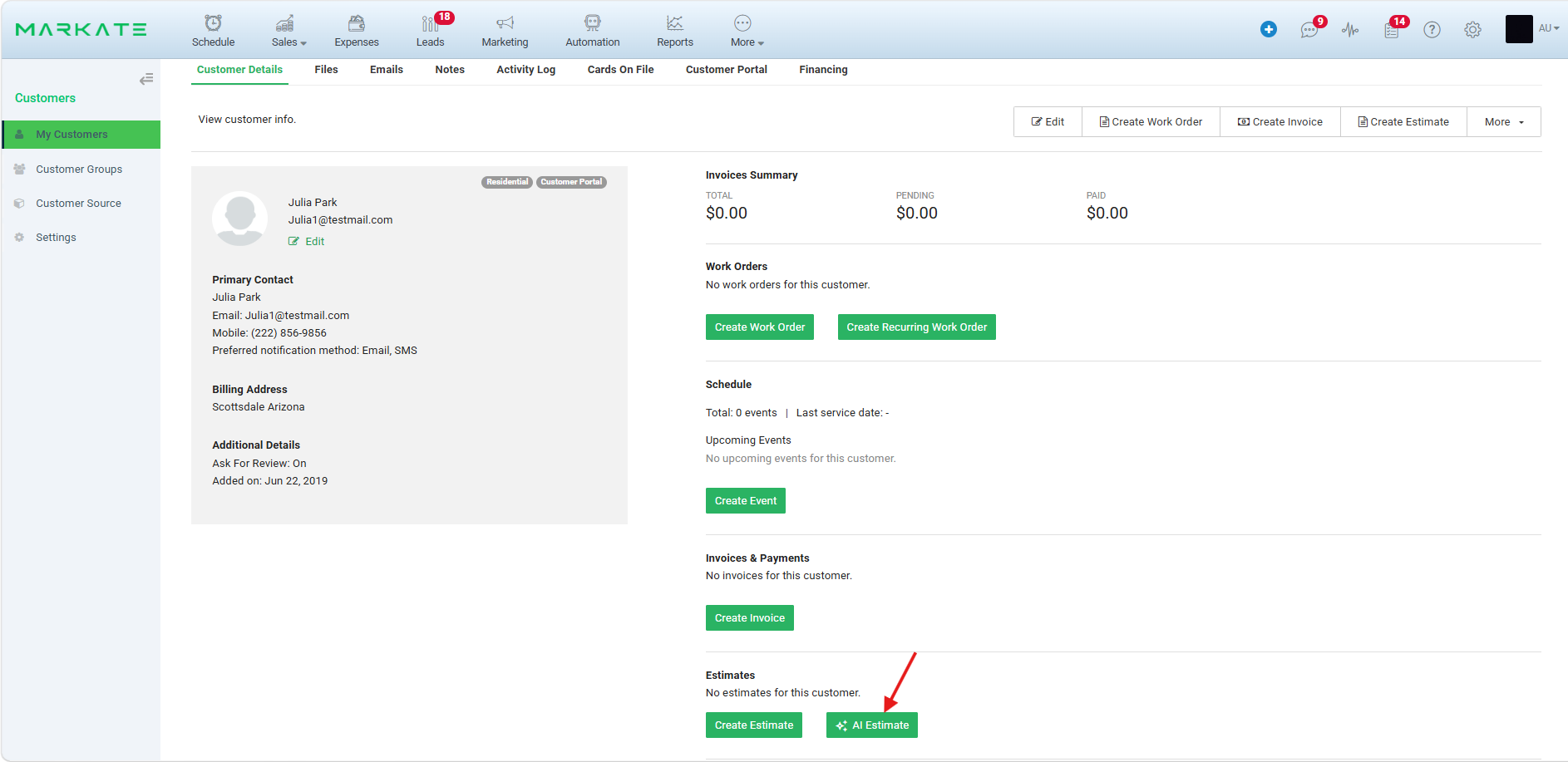
1. Go to Customers > Open/create a Customer for which AI Estimate to be created.
2. On the Customer's Details screen, click AI Estimate from Estimates section.
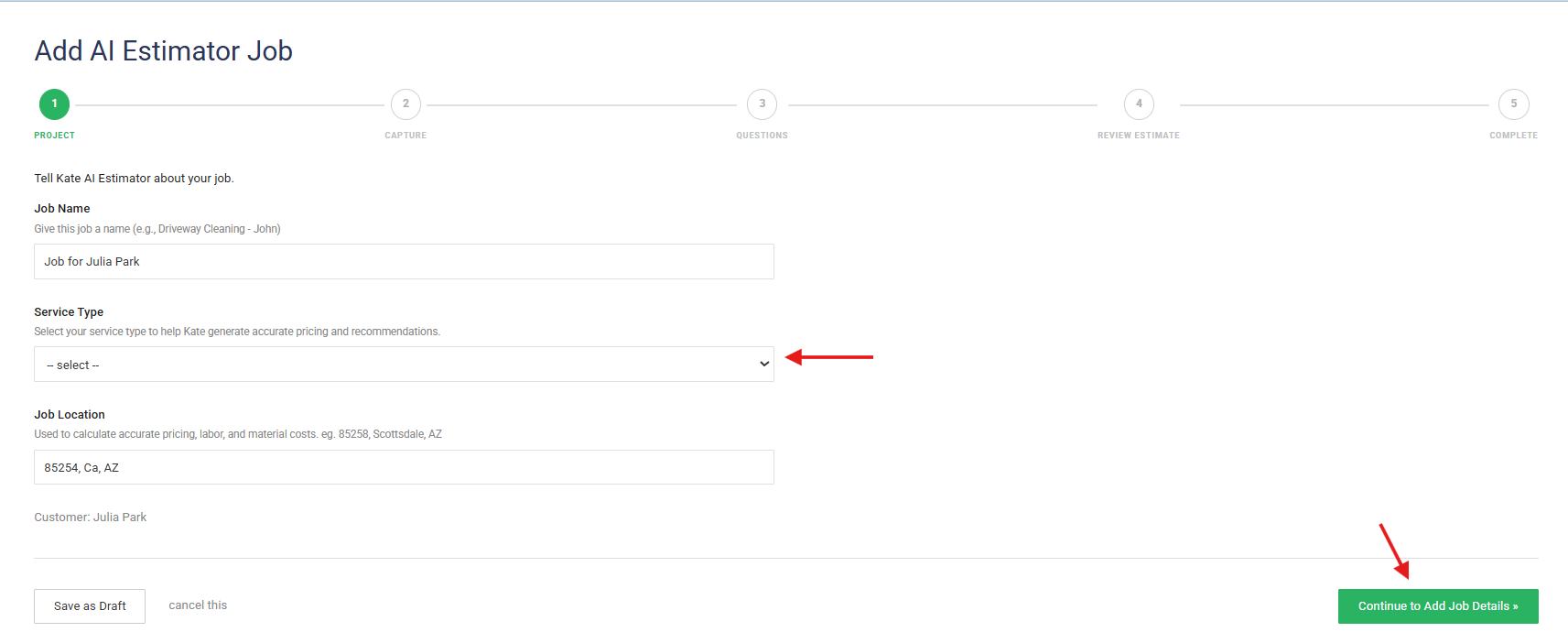
3. It navigates to 'Add AI Estimator Job' where Job Name is auto populated as 'Job for <Customer Name>. You can edit it if required.
4. Select Service Type.
5. Job Location is auto populated.
6. Click 'Continue to Add Job Details'.
7. Continue building AI Estimate.
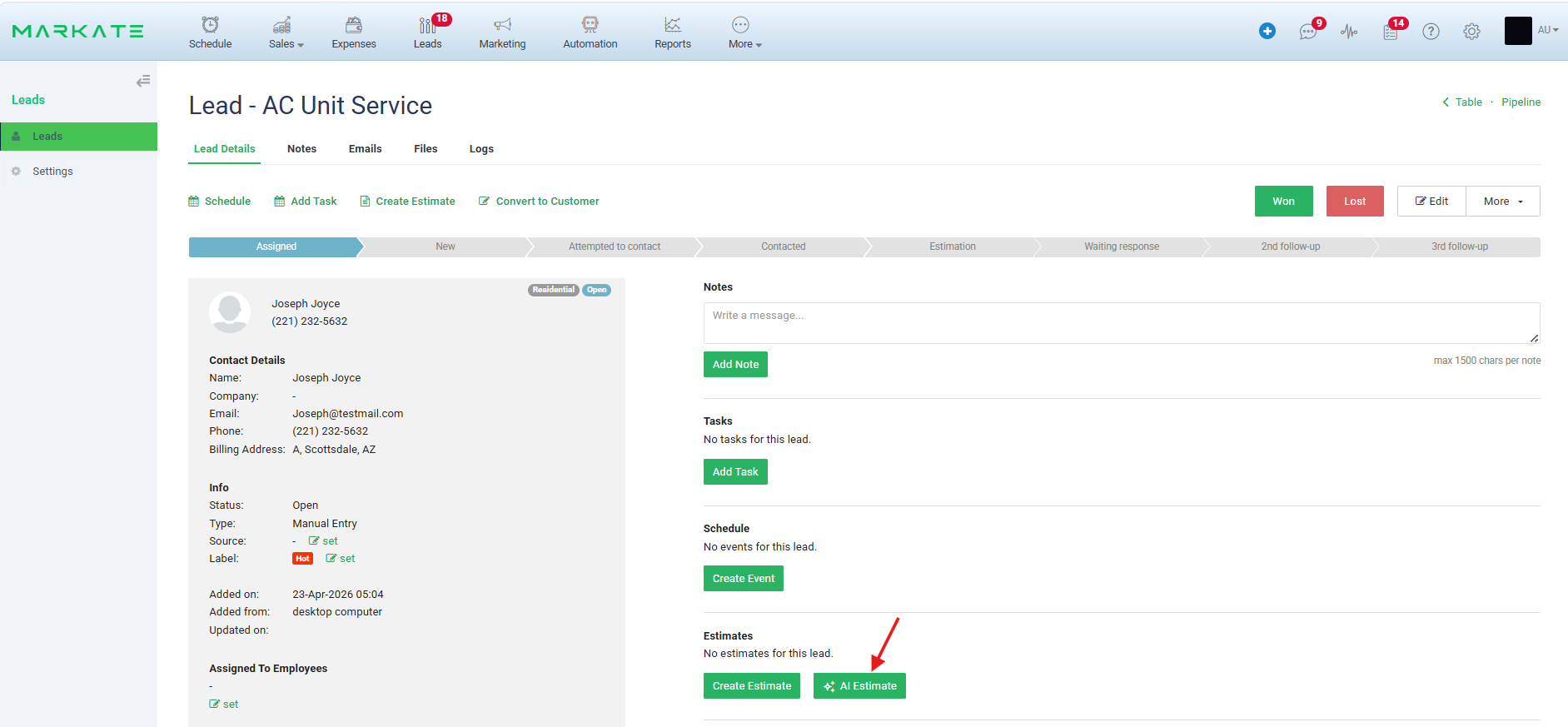
Create AI Estimate from Lead profile:
1. Go to Leads > Open/create a Lead for which AI Estimate to be created.
2. On the Lead's Details screen, click AI Estimate from Estimates section.
3. It navigates to 'Add AI Estimator Job' where Job Name is auto populated as 'Job for <Lead Name>. You can edit it if required.
4. Select Service Type.
5. Job Location is auto populated.
6. Click 'Continue to Add Job Details'.
7. Continue building AI Estimate.
Was this article helpful?
That’s Great!
Thank you for your feedback
Sorry! We couldn't be helpful
Thank you for your feedback
Feedback sent
We appreciate your effort and will try to fix the article